
Blog
FREE FULL EMAIL MARKETING COURSES

NITY CHOUDHARY
· 8 min read
✅ MODULE 1: Introduction to Email Marketing
🧠 Lesson 1.1 – What is Email Marketing?
Email marketing is sending valuable messages (promotions, updates, tips) directly to people’s email inboxes.
- It’s a direct line to your customer — not filtered by algorithms (like Instagram or YouTube).
- You own your list, so no one can take away your audience.
- You collect a person’s email (with permission).
- You send them helpful or promotional content.
- They trust you and buy from you or share your emails.
Example: A photography tutor sends weekly editing tips + a link to buy his full course.
📊 Lesson 1.2 – Why Email Marketing Works
- Low cost, high return: Email marketing gives up to ₹3,000 per ₹100 invested.
- Personal and targeted: You can call users by name or send emails based on their behavior.
- Automation-friendly: Emails can run 24/7 on autopilot.
Example: An eCommerce store sends a birthday discount email every year automatically.
🔁 Lesson 1.3 – The Email Funnel
Just like a sales funnel, email marketing works in stages:
| Funnel Stage | Email Type | Purpose |
| Awareness | Welcome email | Greet new users |
| Interest | Free content or newsletter | Build trust |
| Decision | Sales or discount email | Motivate action |
| Action | Checkout reminder | Push the final purchase |
| Loyalty | Thank-you / value emails | Keep them coming back |
Example: “Thanks for joining! Here’s your free ebook.”
✅ MODULE 2: Choosing Your Email Platform & Setup
🧰 Lesson 2.1 – Choosing the Right Tool
Your choice of platform depends on:
- Budget
- Features you need (automation, CRM, design tools)
- Number of contacts
Beginner Tools: Mailchimp, MailerLite
Advanced Tools: ActiveCampaign, Klaviyo (for online stores)
🔐 Lesson 2.2 – Setup Essentials (SPF, DKIM, DMARC)
These are technical settings that help your emails avoid spam folders.
Step-by-step:
- Login to your domain provider (like GoDaddy).
- Add DNS records: SPF, DKIM, and DMARC.
- Verify your domain inside your email tool (Mailchimp or others).
Why it matters: Without setup, your emails may go to SPAM.
📤 Lesson 2.3 – Sending Your First Campaign
- Import your email list (CSV or signup form).
- Choose a template.
- Write your subject line and message.
- Send a test email to yourself.
- Schedule or send.
Example: Your first welcome email: “Hi [Name], thanks for joining my newsletter!”
✅ MODULE 3: Building Your Email List
🎁 Lesson 3.1 – Create a Lead Magnet
This is a free gift you offer to encourage people to join your list.
Examples:
- Free checklist: “5 ways to lose weight naturally”
- Webinar invite: “Learn Instagram in 1 Hour”
- Discount: “Get 15% OFF when you join”
Step-by-step:
- Choose a pain point your audience has.
- Create a quick solution (PDF, video, coupon).
- Connect it to an opt-in form.
🧲 Lesson 3.2 – Design a High-Converting Opt-in Form
Your form must include:
- Eye-catching headline
- Clear benefit
- 1 or 2 fields (Name & Email)
- A CTA button like “Download Now”
Example:
“🎁 FREE Guide: 10 Instagram Growth Hacks”
[Enter Email] → [Get My Guide]
🌐 Lesson 3.3 – Landing Pages
These are full pages focused on one goal — collecting emails.
Key Elements:
- Headline + image
- Explanation of the offer
- Signup form
- Trust elements (testimonial, data security note)
Tool Tip: Use Carrd, Mailchimp, or Systeme.io to build fast landing pages.
📜 Lesson 3.4 – Legal Email Marketing (GDPR, CAN-SPAM)
- Ask for consent (checkbox or statement)
- Include your company address
- Always offer an unsubscribe link
- Never buy or rent email lists
Why? Sending emails without permission = illegal and hurts your reputation
✅ MODULE 4: Email Copywriting (Writing that Converts)
🧠 Lesson 4.1 – Writing Subject Lines
Your subject line is what gets your email opened.
Tips:
- Be clear, not clever
- Add urgency or curiosity
- Use emojis carefully
Examples:
- “⏳ Your 15% OFF ends tonight!”
- “The 3 tools I use every day”
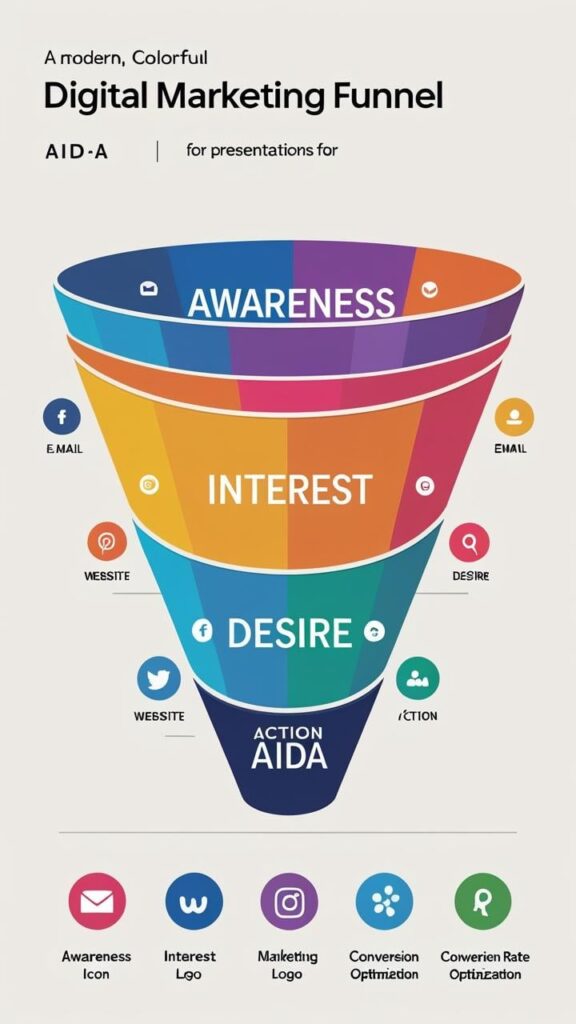
📑 Lesson 4.2 – AIDA Formula (Attention → Action)
Structure your email like this:
- A – Attention: Grab them with a headline
- I – Interest: Share a relatable story or stat
- D – Desire: Show benefits
- A – Action: Add 1 clear CTA (button or link)
📬 Lesson 4.3 – Types of Emails
- Welcome
- Newsletters (weekly tips, updates)
- Promotions
- Cart Abandonment
- Customer Stories or Case Studies
- Survey or Feedback
Each email has a different goal. Don’t mix too many goals in one email.
🧠 Lesson 4.4 – Psychological Triggers
- FOMO: “Only 3 spots left!”
- Social Proof: “Join 10,000 readers”
- Urgency: “Last day to sign up”
- Curiosity: “This changed how I write emails”
✅ MODULE 5: Email Design
🎨 Lesson 5.1 – HTML vs Plain Text
- HTML = Colorful, images, brand logo — good for promotions
- Plain Text = Simple, personal — good for building relationships
📱 Lesson 5.2 – Layout for Mobile & Desktop
Follow these design rules:
- Keep it single-column
- Use large fonts
- Place CTA above the fold
- ALT text for images
Tools: BeeFree.io, Mailchimp Designer, Stripo
🛠️ Lesson 5.3 – Use Email Builders
- Choose a template
- Replace text & images
- Drag & drop elements
- Save for reuse
Tip: Keep your design consistent with your website or brand.
🙋 Lesson 5.4 – Personalization
Add the subscriber’s name and customize emails with behavior-based info.
Example: “Hi Ramesh, we picked these shirts just for you.”
✅ MODULE 6: Email Automation & Drip Sequences
🔁 Lesson 6.1 – Welcome Email Sequence
A welcome series is a set of 2–5 emails sent automatically when someone joins your list.
📘 Purpose:
- Introduce your brand
- Deliver the lead magnet
- Build trust
- Prepare them for offers
📩 Example sequence:
- Day 1: Welcome! Here’s your free guide.
- Day 3: About us: Our mission and how we help you.
- Day 5: Success story/testimonial from a customer
- Day 7: Special offer for new subscribers
Tool Tip: Set this up in MailerLite, ConvertKit, or Mailchimp Automation.
🤝 Lesson 6.2 – Lead Nurture Sequences
This is a value-first approach to warm up cold leads over time.
📘 Why nurture?
People rarely buy the first time. You must educate + inspire + help them first.
Example nurture series (for a digital course):
- Day 1: Common problems people face
- Day 4: Free video training or blog link
- Day 7: A case study showing results
- Day 10: Offer discount or invite to webinar
🛒 Lesson 6.3 – Abandoned Cart Recovery
This automation helps recover lost sales by reminding users who left their cart without buying.
📩 Ideal sequence:
- 1 hour later: “Forget something? Your cart is waiting 🛍️”
- 24 hours later: “Still thinking? Here’s 10% OFF!”
- 3 days later: “Last chance! Your cart expires tonight.”
Stats: Cart emails recover up to 20% of missed sales!
😴 Lesson 6.4 – Re-engagement Campaigns
Target people who stopped opening your emails. It helps clean your list and re-capture interest.
Steps:
- Segment inactive users (e.g., no opens in 90 days)
- Send 2–3 emails asking:
- “Still interested?”
- “Would you like to stay on our list?”
- “Here’s something new for you!”
- Send 2–3 emails asking:
If no reply → unsubscribe automatically.
This improves deliverability and respects your audience.
✅ MODULE 7: Segmentation & Targeting
🧑💼 Lesson 7.1 – What is Segmentation?
Segmentation = Dividing your email list into smaller groups based on characteristics or behavior.
Why?
Because sending one generic email to everyone = low engagement.
Tailored emails = higher opens, clicks, and conversions.
📊 Lesson 7.2 – Segment by Behavior
This is next-level targeting.
Segment by:
- Link clicks (e.g., clicked on “Facebook Ads”)
- Page visits
- Purchases
- Email opens
📘 Example:
If someone clicks on “Instagram Growth Tips,” tag them as: Interested in Instagram
Then you can send more Instagram-related offers.
🏷️ Lesson 7.3 – Using Tags & Custom Fields
- Tags are like labels: “VIP,” “Freebie Downloader,” “Cart Abandoner”
- Custom Fields are extra data points: age, industry, favorite topic
📘 Example:
You can send this email:
“Hi Raj, here’s a webinar for content creators in Mumbai.”
Thanks to:
- {first_name} = Raj
- {city} = Mumbai
- {interest} = content creation
✅ MODULE 8: Email Analytics & Optimization
📈 Lesson 8.1 – Track These Metrics
Learn how to measure the success of every campaign.
| Metric | Meaning | Healthy % |
| Open Rate | % who opened the email | 20–40% |
| Click-Through Rate | % who clicked a link | 2–5% |
| Bounce Rate | % undelivered emails | < 2% |
| Unsubscribe Rate | % who left your list | < 1% |
If your open rate is low → Improve your subject line
If CTR is low → Fix your email copy & buttons
🧪 Lesson 8.2 – A/B Testing
This is testing two versions of one email element to see which performs better.
Test:
- Subject lines
- Headline
- CTA buttons
- Images
📘 Example:
Version A Subject Line: “Your Free Guide Awaits 📘”
Version B Subject Line: “Unlock Your Guide Now (Limited Offer)”
Whichever performs better → use it moving forward.
📥 Lesson 8.3 – Deliverability Tips
Ensure your emails land in the inbox, not spam.
Tips:
- Use verified sender email (like hello@yourdomain.com)
- Don’t use ALL CAPS or spammy words (FREE!, BUY NOW!)
- Keep a clean list (remove inactive users monthly)
- Ask users to “whitelist” your email
📘 Tool Tip: Use mail-tester.com to check your email score before sending.
✅ MODULE 9: Advanced Campaigns & Integrations
⚡ Lesson 9.1 – Trigger-Based Emails
Send emails based on real-time actions.
📘 Examples:
- Downloaded guide → “Here’s more resources”
- Watched video → “Ready for the next step?”
- Visited pricing page → “Got questions about our pricing?”
Tools: ActiveCampaign, ConvertKit, Keap, etc.
🎯 Lesson 9.2 – Building Sales Funnels
A funnel is a journey you guide users through using email:
Example:
- Free course → welcome sequence
- Value emails → case study
- Scarcity → “Offer ends tonight”
- Final pitch
This sequence turns cold leads into warm buyers.
🔗 Lesson 9.3 – CRM & Tool Integration
Use CRM (like HubSpot, Zoho, Salesforce) to manage contacts, deals, and email journeys.
Also, use Zapier to connect tools.
📘 Example:
New lead in Google Sheet → Automatically added to Mailchimp list
📣 Lesson 9.4 – Retargeting with Ads
Target people who opened or clicked your email with ads on Facebook or Google.
Steps:
- Export “Clicked Email” list
- Upload to Meta Ads Manager as Custom Audience
- Run ads like: “Complete your purchase today and get 20% OFF!”
✅ MODULE 10: Final Project, Templates & Certification
📝 Lesson 10.1 – Ready-to-Use Templates
Access templates like:
- Welcome Email
- Launch Email
- Survey Email
- Product Recommendation Email
These save time and give structure.
📆 Lesson 10.2 – Build Your 30-Day Email Calendar
Plan a full month of emails using a mix of:
- Value (tips)
- Storytelling
- Promotion
- Feedback/surveys
📘 Sample Weekly Flow:
- Mon: Weekly Tip
- Wed: Client Success Story
- Fri: Product Spotlight
- Sun: Q&A Email
👨🎓 Lesson 10.3 – Final Projects
✅ Build & Submit:
- A 5-email welcome sequence
- A promotional campaign
- A behavior-based automation flow
Use your email tool of choice to demonstrate live functionality.
🏆 Lesson 10.4 – Quiz + Certification
Pass a quiz to test your learning:
- 20–25 multiple choice questions
- Real-world scenario questions
🎓 Get a professional certificate of completion to showcase in your LinkedIn, portfolio, or client pitches.
🎯 FINAL NOTES:
This course will:
- Train you to launch & manage email campaigns professionally
- Give you confidence to build funnels, sequences, automations
- Help you land clients or jobs in digital marketing
Work with ViniSocial
Need content like this for your brand?
We build digital marketing, social programs, and AI-assisted content systems that stay on-brand.
Talk to ViniSocial